PewPreviewReal renders · sample data · guided demo
Play both sides of one job
First you're the customer previewing a finish on a real AR-15. Then the screen flips and you're the shop turning that preview into money. Every render you'll see came out of our actual engine.
Step 1 of 8
Act 1 · You're the customer
1
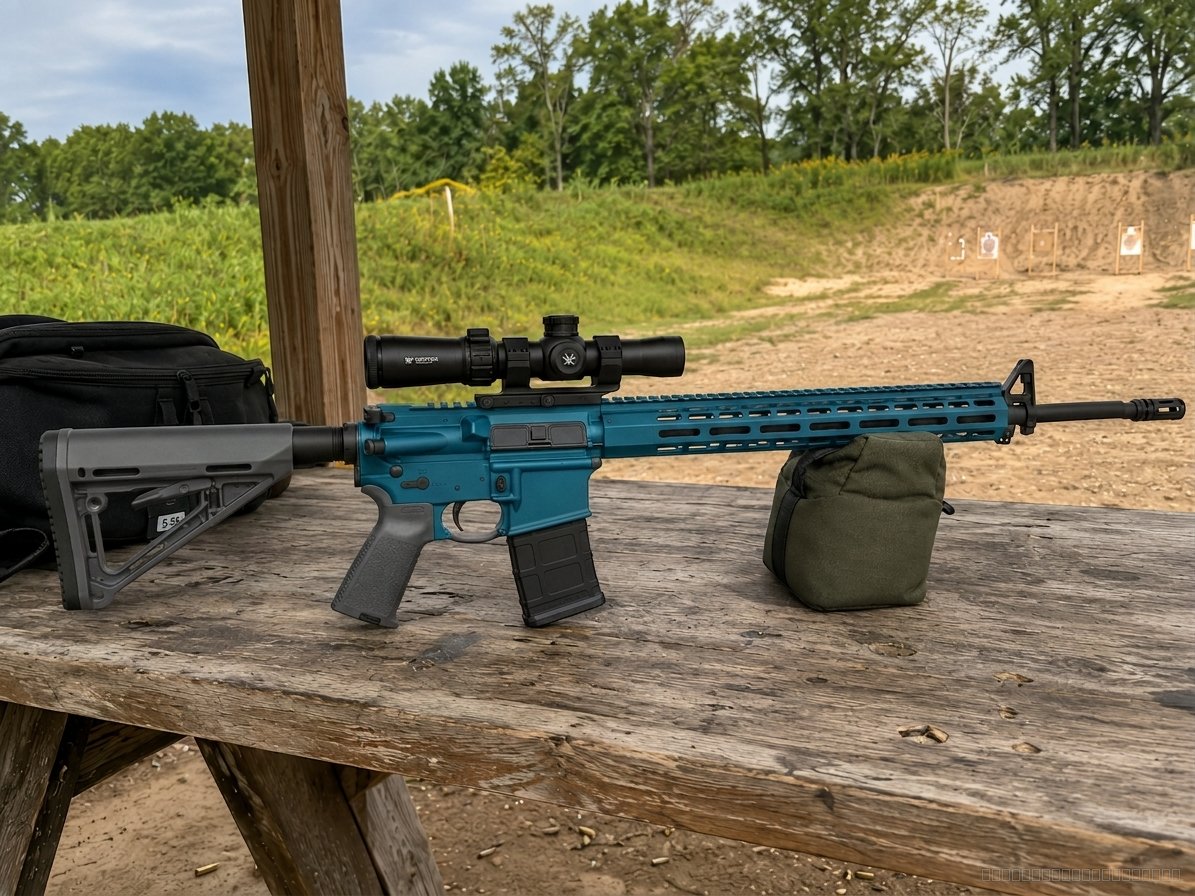
Your customer opens the widget on your website. Their rifle's photo is already in. Tap the pulsing dot on the handguard.
yourshop.com — powered by PewPreview
Tap a part
BEFOREAFTER
Reading the photo…
Sped up for the demo — a live render takes about 20 seconds.
Jake M.
jake@example.com
(208) 555-0114
Blue / Grey two-tone
✓ Sent. Jake's part is done — took him 40 seconds.
Act 2 · Now you're the shop
5
This is your dashboard. Jake just landed in your attention feed — with his contact info and the exact design he already approved. Click him.
Install is one line of HTML — or a hosted link for shops whose site can't take code. Every render lands here with the customer's contact and their exact design.
Marcus T. Looks awesome. Any chance it's done by Friday? Going hunting Saturday morning.
Yep — drop it off Thursday before noon and it'll cure overnight. See you then.
Two-way messaging with photos. Marcus reads and replies from plain email — he never installs an app, you never give out your cell.
Marcus T.4 renders · 2 jobs$680 lifetime
Kyle R.1 render · 1 job$325 lifetime
Jake M.1 render · new today—
One file per customer, keyed by phone: every render, quote, job, and message in one place. No more scrolling texts to find "that guy with the blue AR."
Complete pistol — one color$250 $40 under median
Pistol slide only$120 within market
Complete rifle — one color$325 within market
Knife / small item$45 within market
Price position: this sample menu is under market on 1 of 4 items. Shops that fixed underpricing here found real money — one was quoting knives at $15 when the market advertised $35–$75.
Your service menu with real market comparison per item, built from advertised prices across US shops. It also pre-fills every quote.
#147 Jake M. two-tone AR-15sent
#146 Marcus T. FDE full rifle · $410accepted
#145 walk-in shotgun refinishdraft
#144 Kyle R. pistol slide · $325accepted
Customers open a link, see line items and your terms, and accept with a signature — from their phone, no account. You see the moment they view it.
Kyle R.pistol slide · Sniper GreyCoating
Marcus T.FDE full rifleQueued
Every accepted quote becomes a tracked job. Customers get a live status link — and the ready-for-pickup email sends itself when you hit Done. Fewer "is it ready yet?" calls.
Needs attention — money first.
Jake M. tried your widget 1 minute ago
No quote sent yet · design attached · jake@example.com · (208) 555-0114
Jake M. · new customer
jake@example.com · (208) 555-0114
Wants: Blue / Grey two-tone on his AR-15
Quote #147 — pre-filled from your finish menu. It's yours to change.
Complete AR-15 — two-tone Cerakote$
Stencil & masking work$
Disassembly, prep & reassemblyincluded
Total$325
Market check: shops advertise $250–$400 for similar rifle jobs. You're within market.
✓ Quote emailed — Jake can view and accept it online, no account needed.
✓ Jake accepted — $325, signed online.
Job tracker — click to advance the job.
Queued
Prepping
Coating
Curing
Done
🎉 Your AR-15 is ready for pickup
To: jake@example.com — sent automatically when you hit Done
The coating is cured and it's ready to come home. Swing by during business hours.
The job's done and Jake is thrilled. This is the moment reviews get earned — so the ask is one click:
Jake, thanks for choosing your shop
To: jake@example.com
Hope you're loving the new finish. If you have 30 seconds, a quick review makes a huge difference for a small shop. → Leave a review
That loop is the product.
Preview on their gun→ Lead with the design→ Quote, accepted online→ Job, tracked→ Review, earned
Every render in this demo came out of our real engine — the two-tone you may have picked took one click and zero phone calls. And the quote, inbox, customer files, market pricing, and job tracker you clicked through are all part of the same $99/mo — installed on your website in an afternoon.
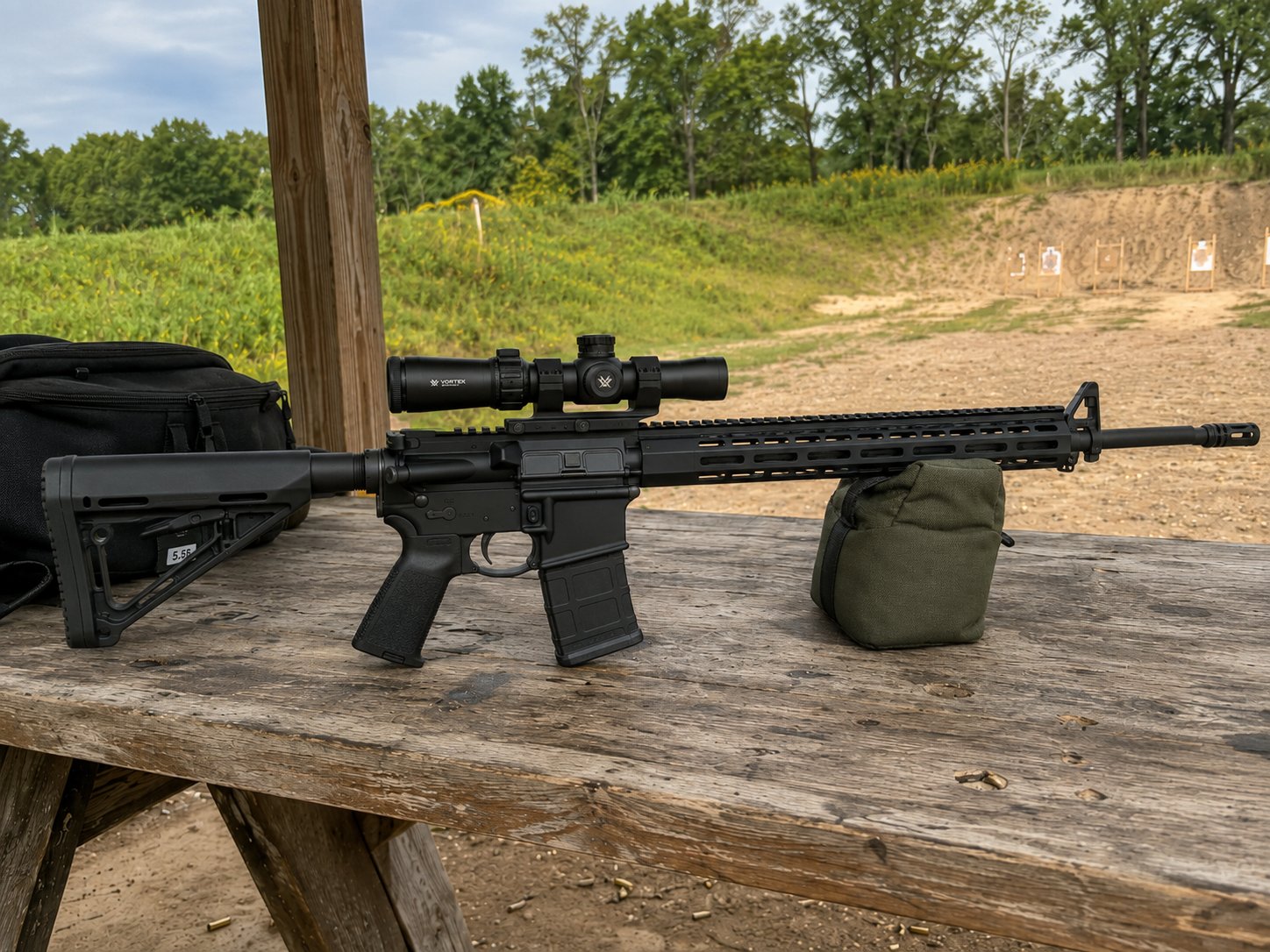 Tap a part